
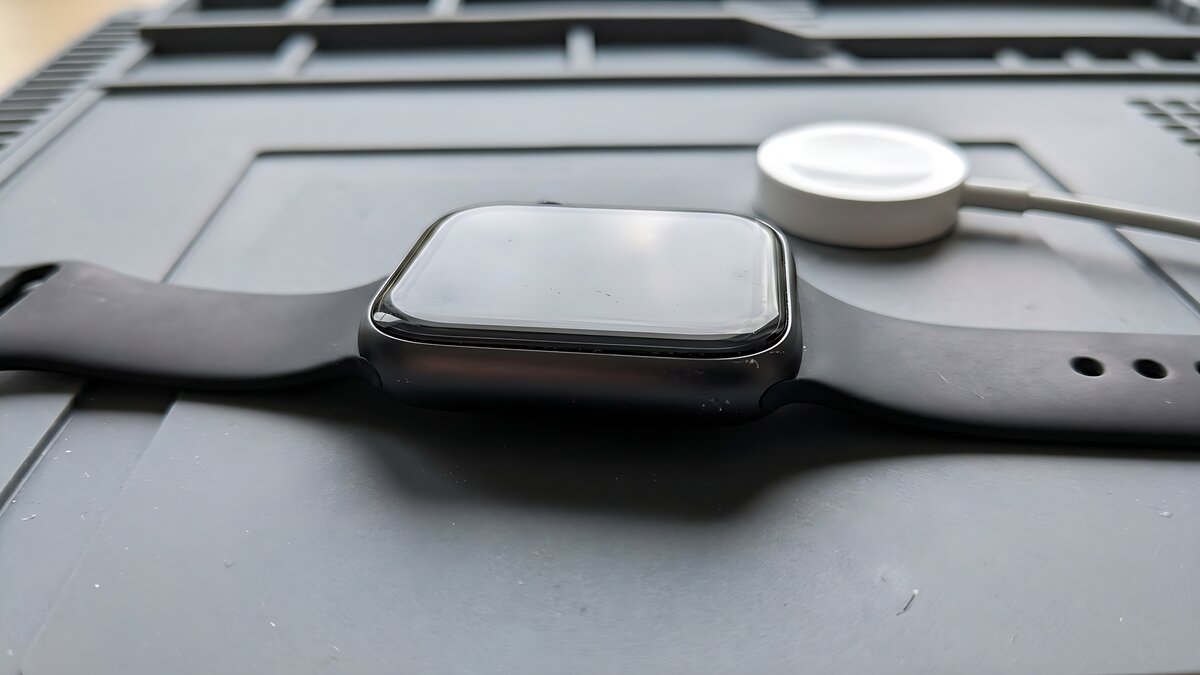
A used smartwatch can look clean and still be a poor purchase. Common problems show up later: a tired battery, an account lock that blocks setup, or app support that no longer fits your phone. Cellular models add another layer because LTE service usually depends on carrier support and the plan attached to your phone, not just the watch hardware.
The Bottom Line
Do not judge a used smartwatch by cosmetics alone. Ask to see battery health or real-world battery behavior, make sure the previous owner has removed the watch from their account, and verify that your phone can still run the app and operating system the watch needs. For Apple Watch, unpairing from the paired iPhone removes Activation Lock, while erasing the watch by itself does not. support.apple.com
The Risks
Battery age can erase the bargain
Smartwatch batteries are small, sealed, and worked hard. A used watch may still power on but no longer last through the day. Apple lets users check Apple Watch battery capacity in Settings under Battery and Battery Health, and says the watch can alert users when capacity is significantly reduced so they can check service options. support.apple.com
Battery condition is not only about runtime. Samsung’s trade-in conditions identify warning signs such as a swollen battery that warps the screen or case, a device that runs hot while charging, or a battery that needs several charges in a day. Those are useful inspection clues, even though service and trade-in rules vary by brand. samsung.com
Repair options also vary by brand, model, region, and warranty status. Google says an out-of-warranty Pixel Watch may be eligible for a discounted replacement, so do not assume every battery problem will be handled as a simple low-cost battery swap. Price that risk into the deal. support.google.com
Account locks can block setup
A factory reset is not enough proof that a smartwatch is ready for a new owner. Many watches are tied to the previous owner’s account, phone, or anti-theft system. On Apple Watch, Apple tells owners to turn off Activation Lock before selling, giving away, or servicing the watch. Apple also says unpairing from the iPhone removes Activation Lock, while erasing the watch without that iPhone leaves Activation Lock in place. support.apple.com
The best test is simple: the seller should unpair the watch in front of you, remove it from their account if needed, and let you begin setup on your own phone before money changes hands. Samsung’s trade-in terms also require anti-theft locking software, including Reactivation Lock, Google Factory Reset Protection, or other anti-theft locks, to be disabled before trade-in. samsung.com
App, OS, and cellular support may not match your phone
Smartwatches depend on phone compatibility more than many used listings admit. Apple publishes a compatibility table showing which Apple Watch models work with which iPhones, iOS versions, and watchOS versions. For example, Apple’s table lists Apple Watch Series 4 and Series 5 as running up to watchOS 10.6.1. support.apple.com
Wear OS can be just as model-specific. Google’s Wear OS setup page says watches running Wear OS 3 are not compatible with the older Wear OS app, and setup steps can vary by manufacturer, device, and software version. A used Wear OS watch may need a brand app, a newer Android phone, or a different setup path than the seller used years ago. support.google.com
Cellular models need one more check. A watch may be sold as “cellular,” but it still has to work with your carrier, phone, and plan. Samsung says LTE activation requires an LTE Samsung watch, a compatible Android phone, Wi-Fi or mobile data during setup, and a carrier plan from AT&T, T-Mobile, or Verizon that matches the one for your phone. samsung.com
Red Flags / When to Walk Away
- The seller cannot unpair the watch from the original phone or remove it from the original account.
- Battery health is low, unavailable, or the watch drops charge quickly during a short test.
- The case, screen, or back sensor area is bulging, lifting, cracked, unusually warm, or poorly sealed.
- The listing says cellular works, but the seller cannot provide the model number, IMEI where applicable, or carrier details.
- Your phone cannot install the required companion app or does not meet the watch’s current OS requirements.
Pre-Purchase Checklist
- Confirm the exact model, size, GPS or LTE version, and region.
- Check battery health if the watch shows it, and ask the seller how long it lasts on a normal day.
- Watch the seller unpair it from their phone and account.
- Begin setup on your own phone before payment whenever possible.
- Verify the latest compatible OS version and whether important apps still install.
- For LTE models, check carrier support, eSIM or IMEI status, and monthly line fees before paying extra.
- Inspect the charger, back glass, sensors, buttons, microphone, speaker, and seal condition.
Takeaway
A used smartwatch is usually worth buying only if it can still pair, update, hold a charge, and transfer cleanly to your account. The best deal has a healthy battery, no account lock, verified app support, and a seller willing to prove setup before the sale.
Source Box
Primary sources used:
- Apple Support, Check battery health and usage on Apple Watch: https://support.apple.com/guide/watch/check-battery-health-and-usage-apd24c6cb2dd/watchos
- Apple Support, About Activation Lock on your Apple Watch: https://support.apple.com/en-us/102573
- Apple Support, Unpair and erase your Apple Watch: https://support.apple.com/en-us/108372
- Apple Support, Apple Watch and iPhone compatibility: https://support.apple.com/en-us/118490
- Google Wear OS Help, Set up your watch: https://support.google.com/wearos/answer/6056630?co=GENIE.Platform%3DAndroid&hl=en
- Google Pixel Watch Help, Replace or file a warranty claim for Google Pixel Watch: https://support.google.com/googlepixelwatch/answer/12662730?hl=en
- Samsung Support, Activate LTE service for your Samsung Galaxy Watch: https://www.samsung.com/us/support/answer/ANS10003298/
- Samsung Trade-In terms: https://www.samsung.com/us/trade-in/